
All on the phone
Every bit of processing happens on the device itself.
Offline · no server · no account
Everything already on your phone — chats and SMS, bank transactions, contacts, addresses — in one place, fast, and entirely offline.
Light · fast · private · yours alone
Every bit of processing happens on the device itself.
Begard has no internet permission; nothing leaves the phone.
No account to create, no number to hand over.
Answers instantly, and only on your own phone.
Begard's search finds what is scattered across your phone, in plain words.
Ask the way you would ask a friend. You do not need the exact word.
As you type, the path narrows: who, what, where, when.
A bank SMS becomes a transaction, then you find it by bank, card, date or amount.
Whatever you hand it: shared from any app, or through «صید خودکار» — off until you switch it on and tick the apps yourself, and even then it only sees new messages. Begard has no access to any app's history or account.
Eitaa, Bale, Rubika, Soroush, iGap, Gap, Instagram and Signal too. Calendar not yet — it will appear here when it does.
Every result says who sent it, through which app, and when. That is what makes an answer trustworthy.
Begard collects nothing by itself. It reads what you send it and pulls these out — each in its own colour, so you recognise it before you read it.
A number plate is read in whichever order it was typed — «۱۲ ب ۳۴۵ ایران ۱۱», «۱۱ ایران ۳۴۵ ب ۱۲» or «ایران ۱۱ · ۱۲ب۳۴۵» — and all three are understood as one plate.
No sign-up, no sync, no settings to learn.
Hit Share in any app and pick Begard. Or turn on «صید خودکار» and tick only the apps you want — until you do, it is off.
Begard reads the text right there and pulls out what matters: cards, numbers, addresses, transactions. One-time codes are never stored.
Ask in your own words — or just say it. The answer arrives with its source: who, which app, when.
All three on the phone itself, without a single network request.
Suggestions appear as you type and cut the path short.
Type a name and see the numbers, cards, places and messages you have from them.
“the numbers Ali sent me in the last two weeks” — Begard turns that into a structured local search itself. No cloud model, no internet.
Begard is built for what everyone misplaces every day: a number, a card, an address, an amount.
No need to type it exactly. “that number mum sent” or “Ali's card” is enough — Finglish too. Words that mean the same thing are the same thing: «موقعیت», «لوکیشن» and «نشانی» are one, and «اس ام اس» is «پیامک».
Each result says who it came from, through which app, and when. The WhatsApp or Telegram icon stays next to the value.
Bank SMS become transactions: “how much did I spend this month?” gets a number, with the transactions behind it.
If it does not have what you asked for it says so — or asks which one. It never invents an answer.
OTPs and verification codes are never stored or indexed. They do not show up in search and they do not stay anywhere.
Everything is encrypted with a key held by the phone, and you can lock the app with your fingerprint.
Every kind has its own hue — green for numbers, gold for cards, red for places — and if you disagree, you pick the glyph and the colour yourself.
One swipe deletes it, with a few seconds to undo. The other way only fixes where it came from — the extracted values are never edited.
Save any search under your own name and it comes back with one tap. Put one on the phone's home screen and it opens like an app of its own.
Screenshots from the real build on a phone.
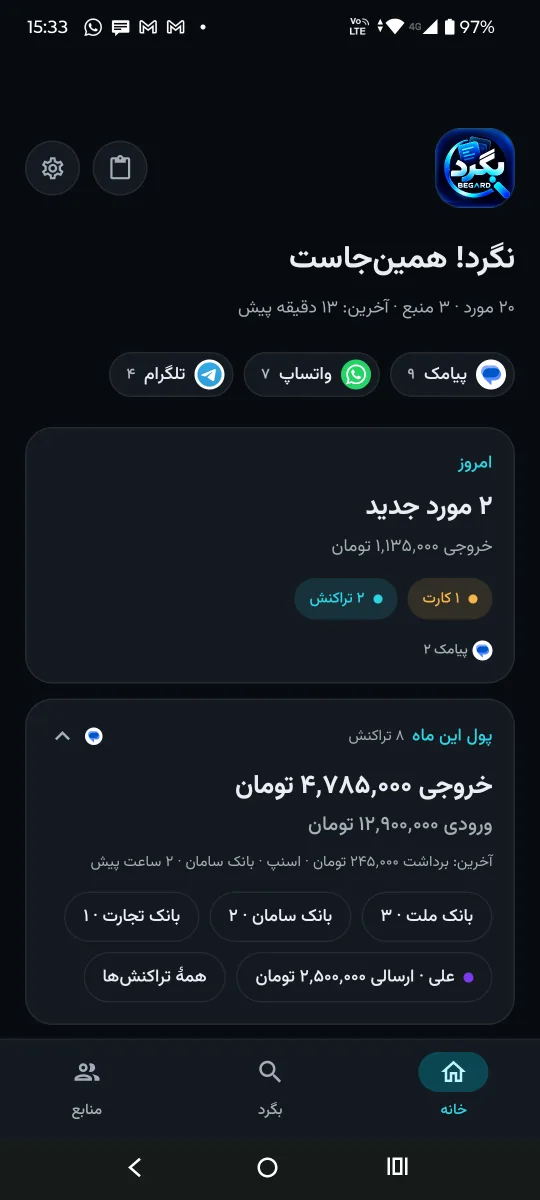
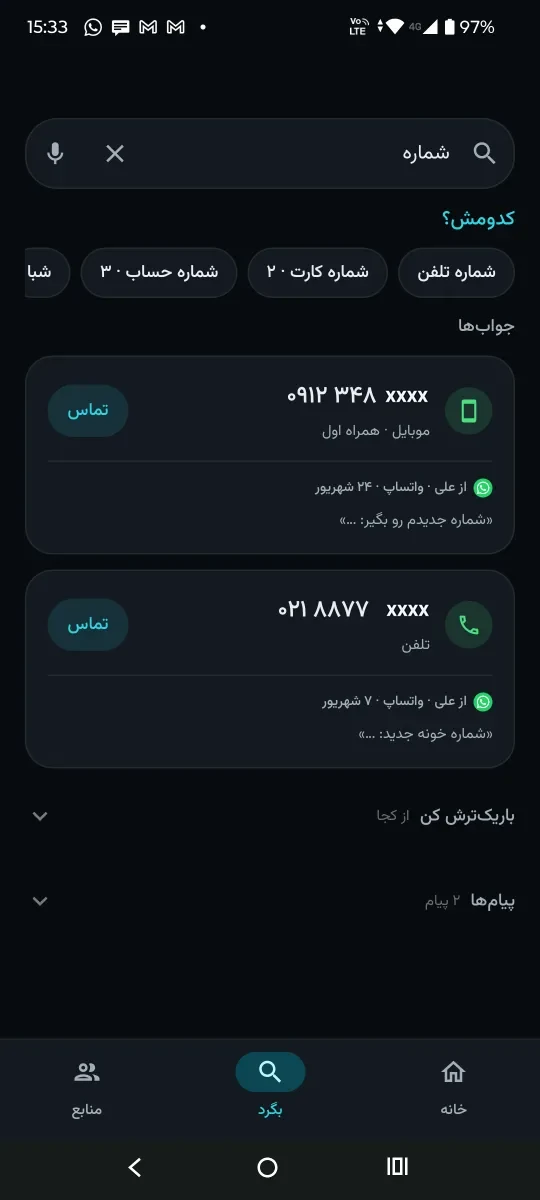
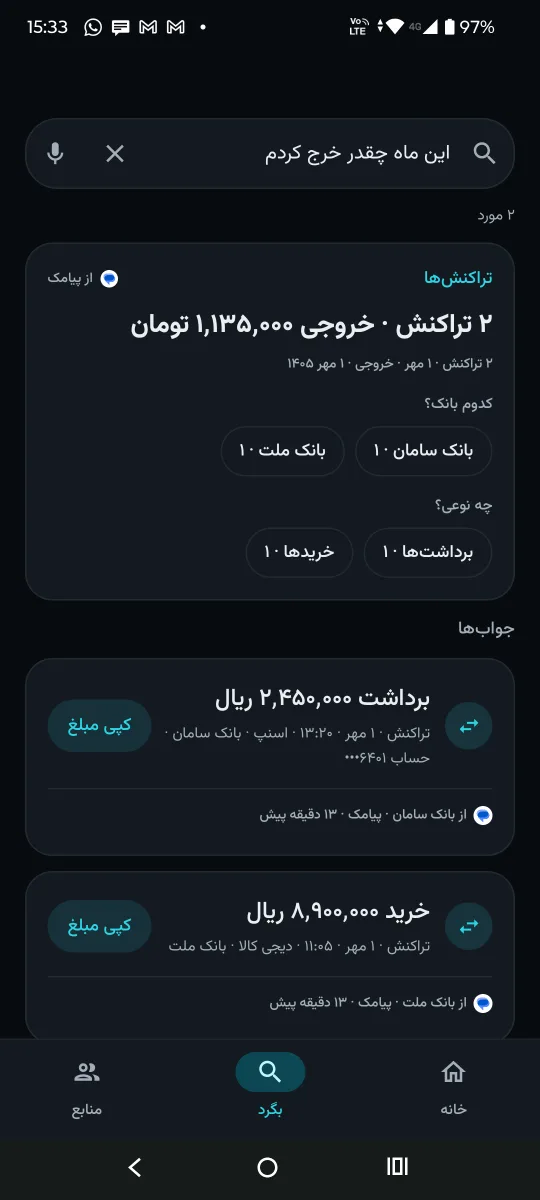
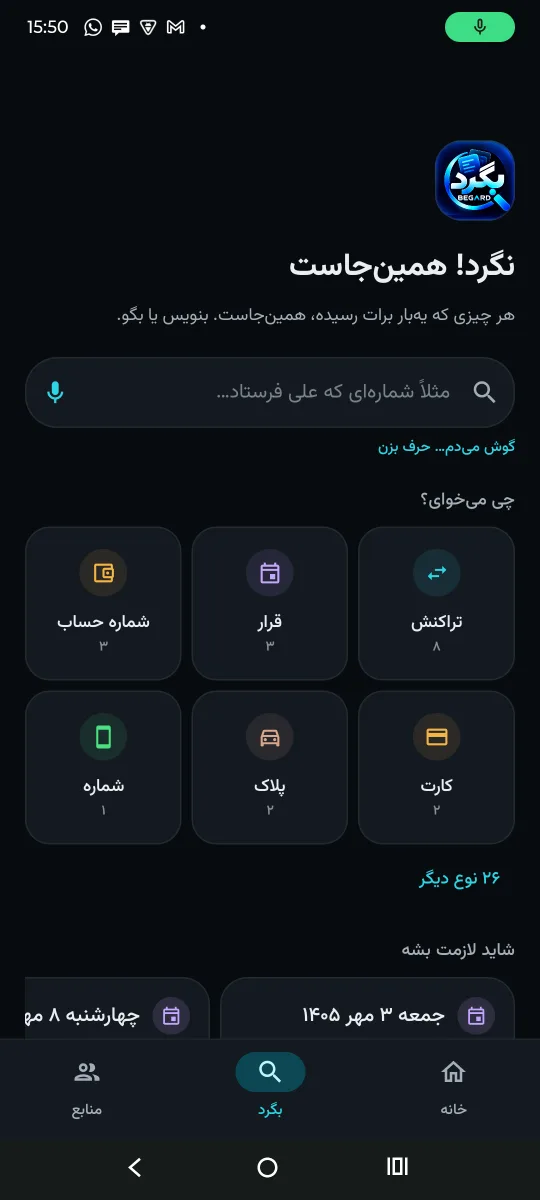
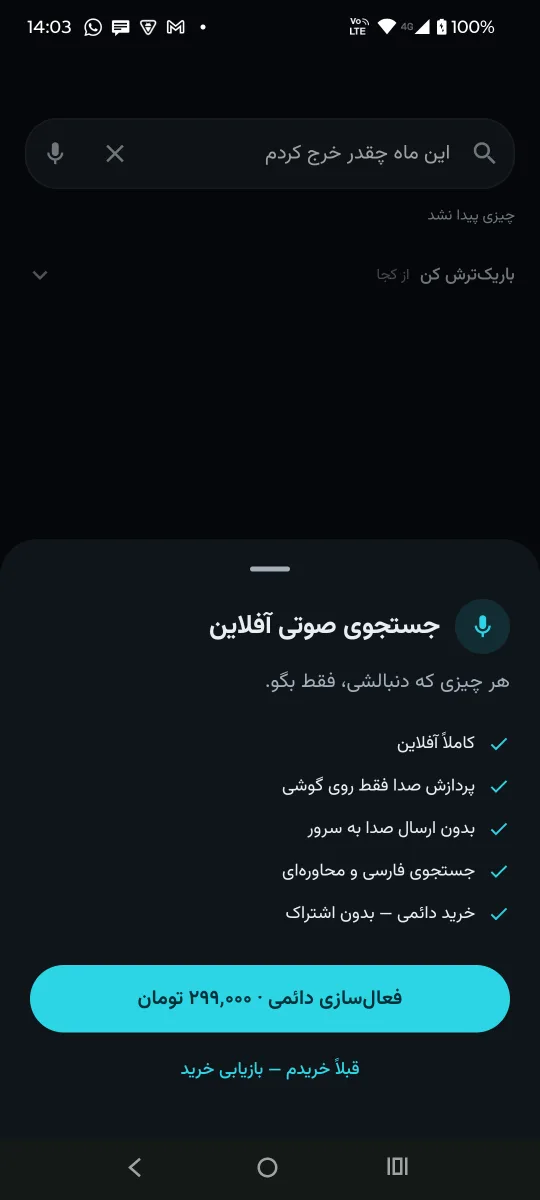
Whatever you are after — just say it.
Install Begard free; voice search is a separate upgrade. After buying it inside the app the Persian model downloads once (about 174 MB) and from then on it works entirely offline — a one-time purchase that comes back on your next phone with “restore purchase”.
Coming from inside the appThat is not a claim; it is how the app is built.
One question, one answer — instead of twenty minutes of scrolling across four apps.
Android 8 (API 26) and above. The free build — all of the search, without voice.
Android 8+ · version 0.6.0 · no internet needed
Not in the stores yet; the links go live here the moment it is. Voice search is bought and switched on later, from inside the app.
No. It has no access to your messages. It only sees what you share with it — or, if you switch it on yourself, bank SMS, to build the transactions.
No. Begard does not even hold the INTERNET permission, so it could not send anything if it wanted to. Everything stays in an encrypted database on the phone.
Because it deliberately does not keep it. A one-time code is not something that should stay anywhere; an SMS that is only an OTP is never indexed.
Once, to fetch the Persian model. After that recognition runs entirely on the phone and audio is never sent anywhere.
Take an encrypted backup from Settings → Backup and restore it on the new phone. The voice purchase comes back with “restore purchase”.
Because it would rather say nothing than say something wrong. If it does not have what you asked for, it says so — or asks which one you meant.